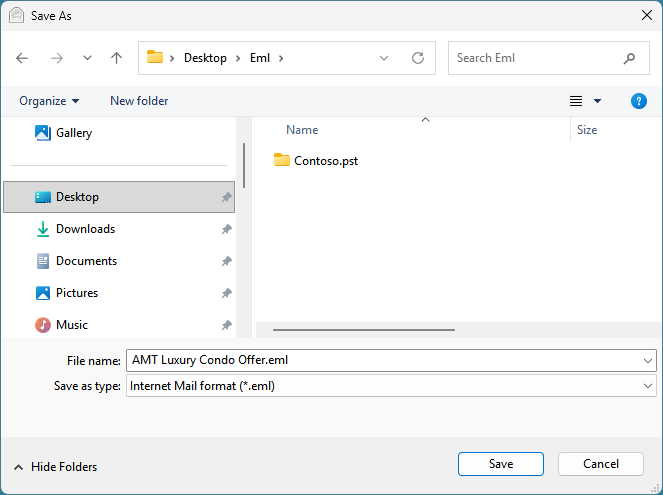
Microsoft 365 to EML Converter can operate in two modes – Simple (default) and Advanced, which has an interactive user interface with many options to export emails to EML files.
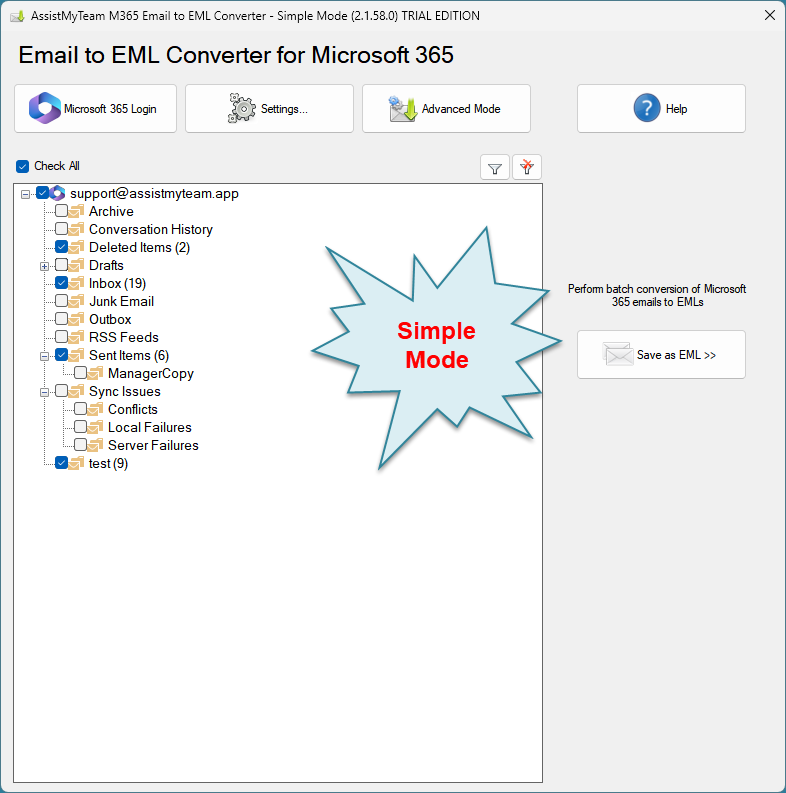
Screenshot: Microsoft 365 Email to EML Converter – Simple Mode
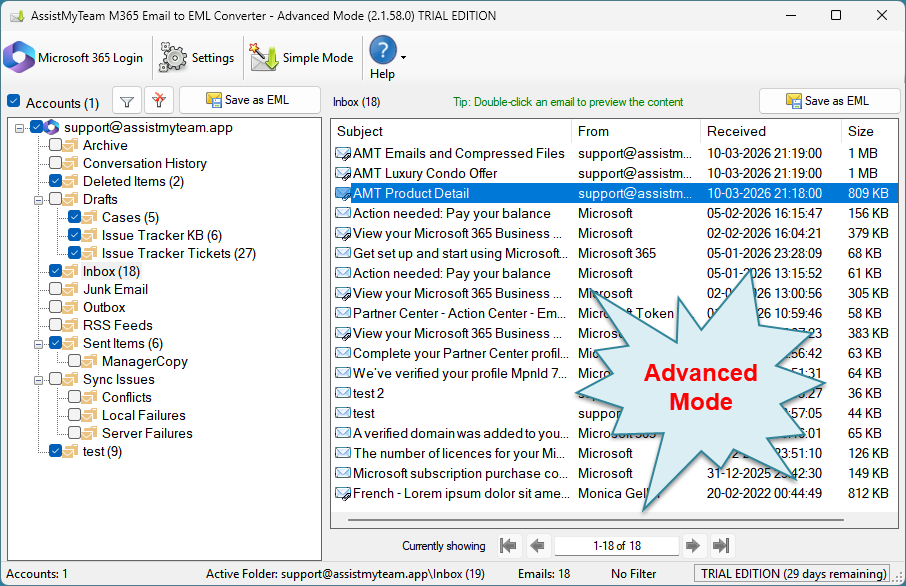
Screenshot: Microsoft 365 Email to EML Converter – Advanced Mode
There are three ways to perform emails export with Microsoft 365 Email to EML Converter:
- Export whole Microsoft 365 Email Account to EML files
- Export chosen Microsoft 365 Email Folder to EML files
- Export chosen few Microsoft 365 Emails to EML files
1. Export whole Microsoft 365 Email Account to EML files (bulk export)
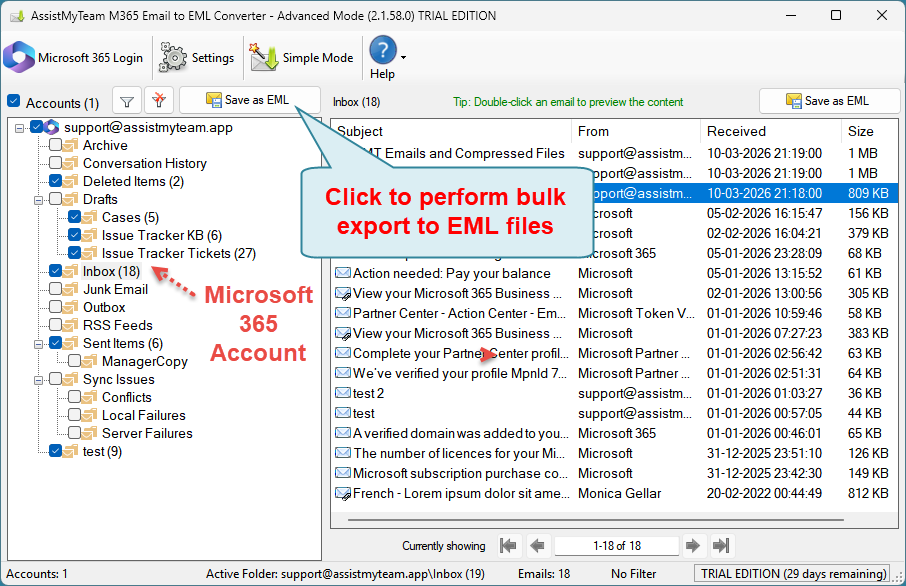
In this mode, you can perform bulk export and replication of the whole contents of each Microsoft 365 mailbox to EML file format. Simply, click the ‘Save as EML‘ button.
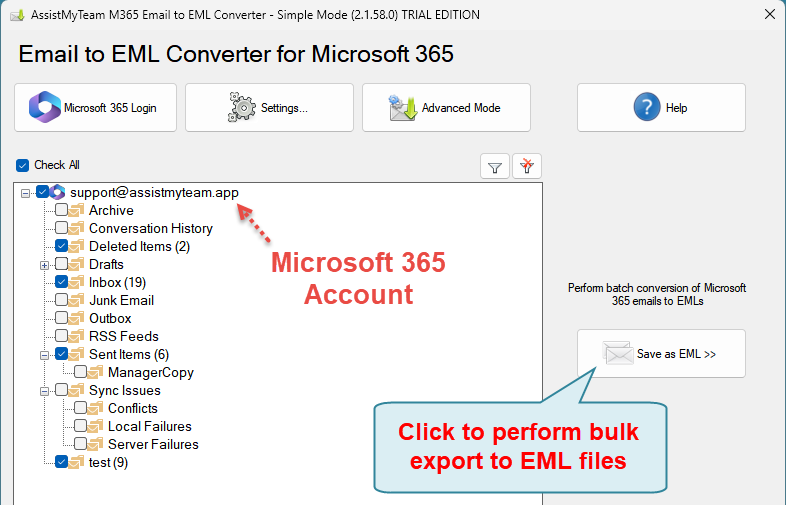
From the ‘Browse for Folder’ dialog box, choose a destination folder where the emails from your Microsoft 365 Inbox and other folders will be exported as EML files.
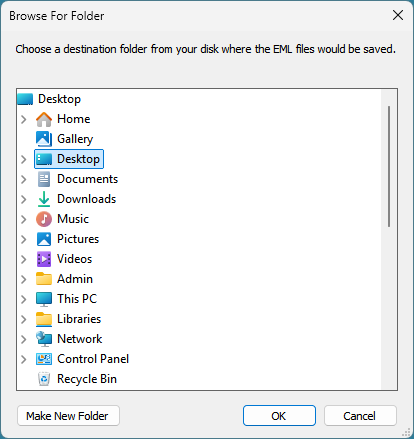
The app will recreate and retain the same original folders structure of your 365 mailboxes in the selected destination folder of your computer to store the various exported EML email files for easy access, sharing and filing in your local computer.
Apply keywords search and filters
You can choose to perform a keyword search and apply filters and only perform the bulk export of those emails in your Microsoft 365 account that fulfill the search parameters to EML. To do that, click the ‘Filter‘ button available on top of the tree-view control box.

A dialog box for the search pop ups enabling you to input keywords search in the subject or body or both. You can also filter the emails by matching the sender in the From field and/or the recipient in the To field. Additionally, you can specify a time duration to restrict the emails that fall between the start and end date.
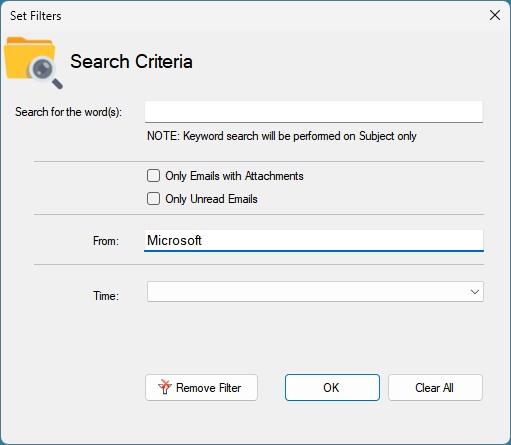
After applying the filters, the filter icon will change with a green tick mark, and the background color of the folder view will also be in green. You will also notice that each folder entry in the tree-view control shows the number of emails that fulfilled the search filter out of the total emails, enclosed within brackets.

2. Export chosen Microsoft 365 Email Folder to EML files (multiple export)
At times, what you may need is only to export and replicate emails of a particular folder of your Microsoft 365 mailbox to EML files. Just click ‘Save as EML‘ button located on the extreme right corner of the folder view control.
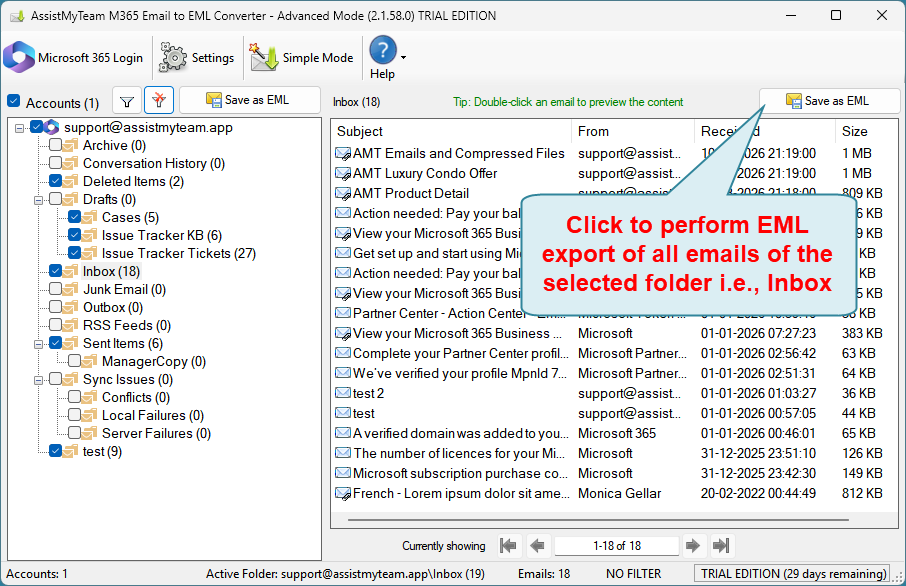
From the ‘Browse for Folder’ dialog box, choose a destination folder where the emails from the chosen Microsoft 365 folder (e.g., Inbox) will be exported as EML files.
3. Export chosen few Microsoft 365 Emails to EML files
In this mode, you can export only those few emails of interest to EML files. To do this, select multiple emails of your interest from your Inbox and right-click to show the context menu ‘Save as EML’.

When you click it, you will be prompted to choose a destination folder where the selected emails from your Microsoft 365 Inbox folder will be exported as EML files.
Alternatively, you can preview the full content of a particular email, by double-clicking it from your Inbox folder.
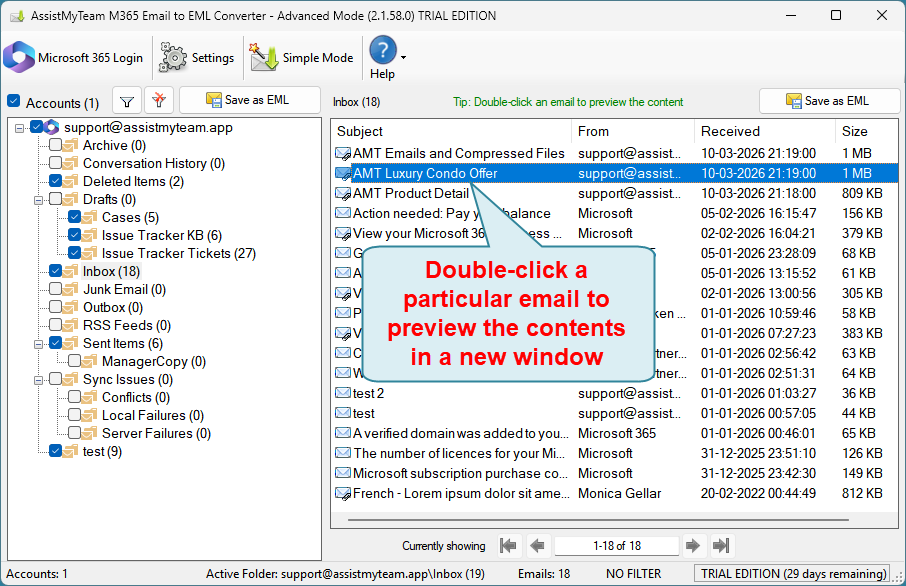
This will show you the contents of the particular email in a new window.
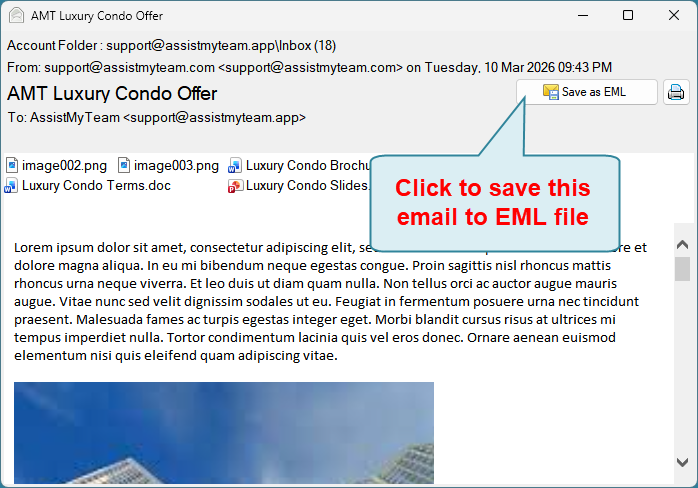
And then choose to save the previewed email to EML by clicking the ‘Save as EML‘ button located on the upper right side.