
PDF to Word Converter
Convert PDF files to Word documents with great accuracy, in bulk, in a click
Windows app to quickly convert PDF files to Microsoft Word documents (DOCX format), preserving the original layout and ensuring your document’s formatting remains intact. And with seamless automations to help guarantee consistency, you never have to worry about sacrificing quality again.
Available for a fully functional 30 days trial.
Product Summary
- Convert your PDF files to Word documents, in bulk, in a click.
- Generate word document with high-fidelity i.e., paragraphs, tables, columns, hyperlinks are carried over from PDF.
- Preserves embedded images in the converted word document in their original positions.
- Generate word documents that opens in Microsoft Word, Google Docs, and most Word processors.
- Converting PDF to Word document is faster and more reliable than copying and pasting text manually.
- Exists as an Windows App requiring a simple install. Local processing translates to no security risks or data breaches for your confidential and sensitive documents.
- All processing performed offline and locally. No Internet connection required. Ideal for closed systems.
- No more waiting to upload your PDF files to cloud service, or to download the generated word documents.
- No requirements to have Microsoft Word, Adobe Acrobat or any other dependencies installed.
How It Works?
Most of us at some point of time, often come across situations where we need to revise or repurpose the contents of business, legal or educational PDF documents. But editing a PDF directly is rarely the best way to work. Editing few texts or phrases directly in PDF may not affect the overall appearance and structure. But for major changes and rewrites, the ideal method is to edit the original source document (e.g., Word, Google Doc) and export it as a fresh PDF. Because PDFs are designed as ‘digital paper’ output formats rather than working files, true semantic editing often causes formatting to shift, clutter or misalign the various objects within.
So, converting a PDF to a Word document makes sense when you want to edit the content of a PDF file. By converting to a Word document, you gain the ability to make changes, add text, format elements, and generally manipulate the document easy, more freely than you could with a standard PDF editor.
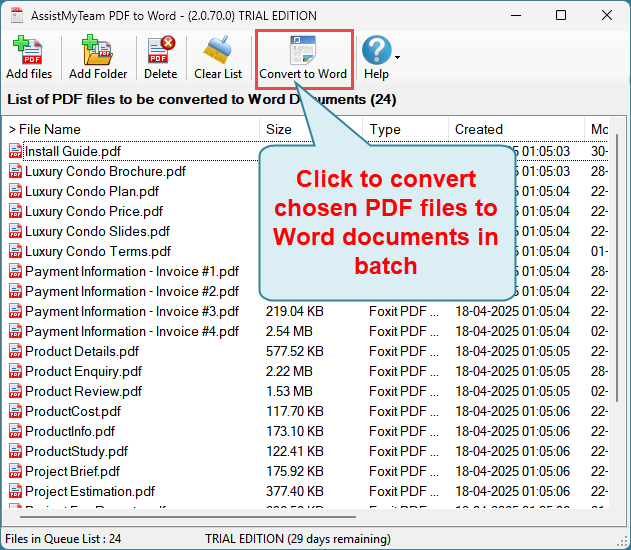
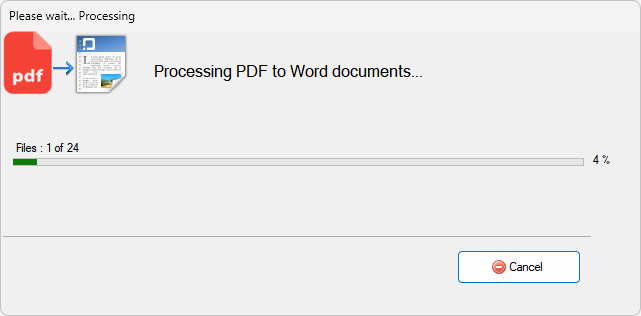
With the AssistMyTeam PDF to Word converter app for Windows, you can convert your PDFs into editable Microsoft Word document format, in bulk, in just a click. All you need to do is choose your PDF files or folders from your computer or network drive, to add them the queue list, before clicking ‘Convert to Word’ button from the toolbar.
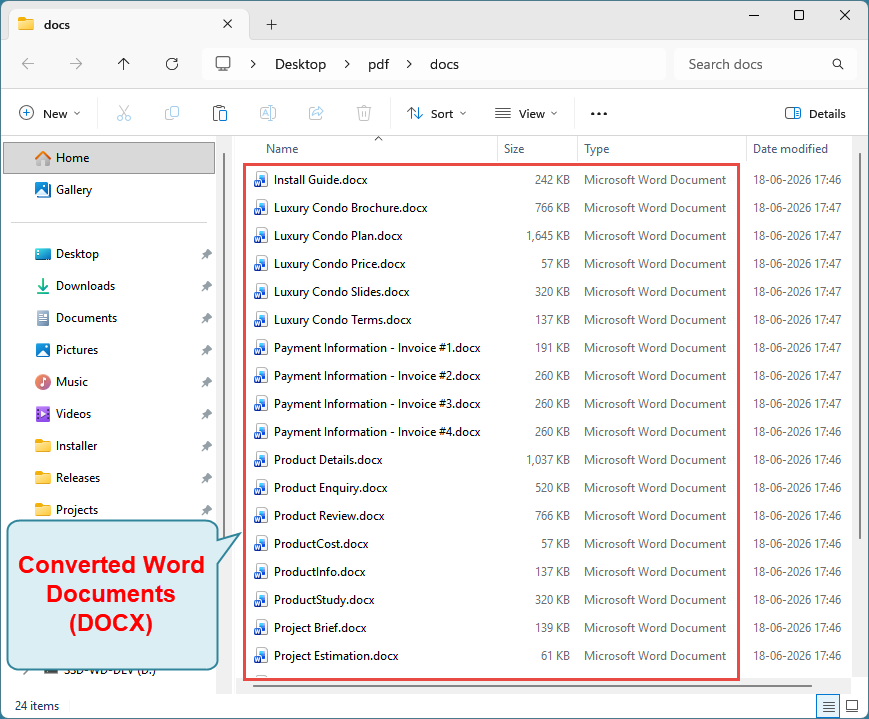
Fonts, images, tables, and hyperlinks, if any, in the source PDF, remain intact in the word documents during conversion. Your Word document will look just like the original PDF with all visual elements preserved though more complex layouts may require some cleanup.
Also try Email to PDF for Outlook
Convert and save emails and attachments to PDF. Learn More...
Outlook Add-ins
Windows Explorer Plug-ins
PDF Tools
PDF Converters
Email Converters
- PST to PDF
- PST to MSG
- PST to EML
- PST to MBOX
- MSG to PDF
- MSG to EML
- MSG to MBOX
- MSG to PST
- EML to PDF
- EML to MSG
- EML to MBOX
- EML to PST
- MBOX to PDF
- MBOX to MSG
- MBOX to EML
- MBOX to PST
- IMAP to PDF
- IMAP to PST
- IMAP to MSG
- IMAP to MBOX
- IMAP to EML
- Outlook to PDF
- Outlook to MSG
- Outlook to EML
- Outlook to MBOX
- Microsoft 365 to PDF
- Microsoft 365 to MBOX
- Microsoft 365 to MSG
- Microsoft 365 to EML
- Exchange to PDF
- Exchange to MBOX
- Exchange to MSG
- Exchange to EML
- Gmail to PDF
- Gmail to PST
- Gmail to MSG
- Gmail to EML
- Gmail to MBOX
