

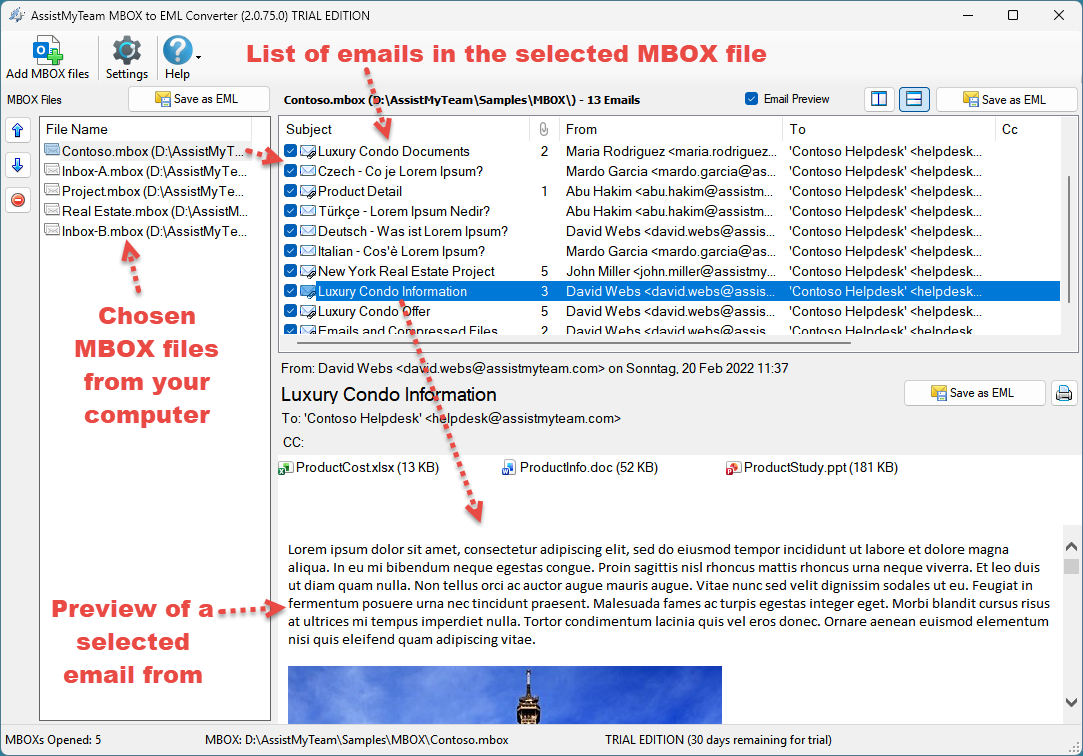
MBOX to EML Converter

Convert emails from MBOX to EML files

Convert and save emails present in MBOX files to EML files, while preserving the formatting, images and email metadata and properties – all in a click.

Available for a fully functional 30 days trial.

Product Summary

  • Convert MBOX email to EML with along with attachments.
  • Bulk conversion of all emails in a MBOX to EML files in a click.
  • Read MBOX created by any email client’s software such as such as Mozilla Thunderbird, Mac / Apple Mail, and Eudora.
  • Different mode of conversion – single MBOX email to EML, multiple emails of MBOX to EML files or whole MBOX into EML files.
  • Retains embedded images, attachments, metadata, and email attributes while exporting MBOX to EML file.
  • All conversions and processing performed locally. Ideal for closed systems.
  • Special MSI installer available for enterprise-wide deployment*.
  • Support Windows 11, 10, 8, 7 and Windows Servers.

Convert Emails in MBOX to EML

Use MBOX to EML Converter to perform seamless conversion of emails to EML format.

Export Selective Emails to EML

With MBOX to EML Converter, choose only those emails that you want to save as EML.

View, Save or Delete Attachments

Use the MBOX to EML Converter as a MBOX Viewer, to view attachments or save to local folder or delete them from the MBOX file.

Retain Email Metadata in EML

MBOX to EML Converter preserve formatting, images and email metadata and properties such as To, Cc, Bcc, Received date, sent date in EML.

Preview Email before Export

With MBOX to EML Converter, preview emails in the MBOX with all associated metadata attributes, formatting, attachments and inline images.

Batch MBOX to EML Conversion

Use MBOX to EML Converter to open multiple MBOX files at once and perform bulk conversion of emails to EML files in a click.

How It Works?

There are three ways to perform EML conversion with AssistMyTeam MBOX to EML Converter – All emails of multiple MBOX files to EML, all emails of a MBOX file to EML and single email of MBOX to EML.

In this mode, you can perform bulk conversion of the emails from all the chosen MBOX files to EML files. Simply, click the ‘Save as EML‘ button as illustrated below.
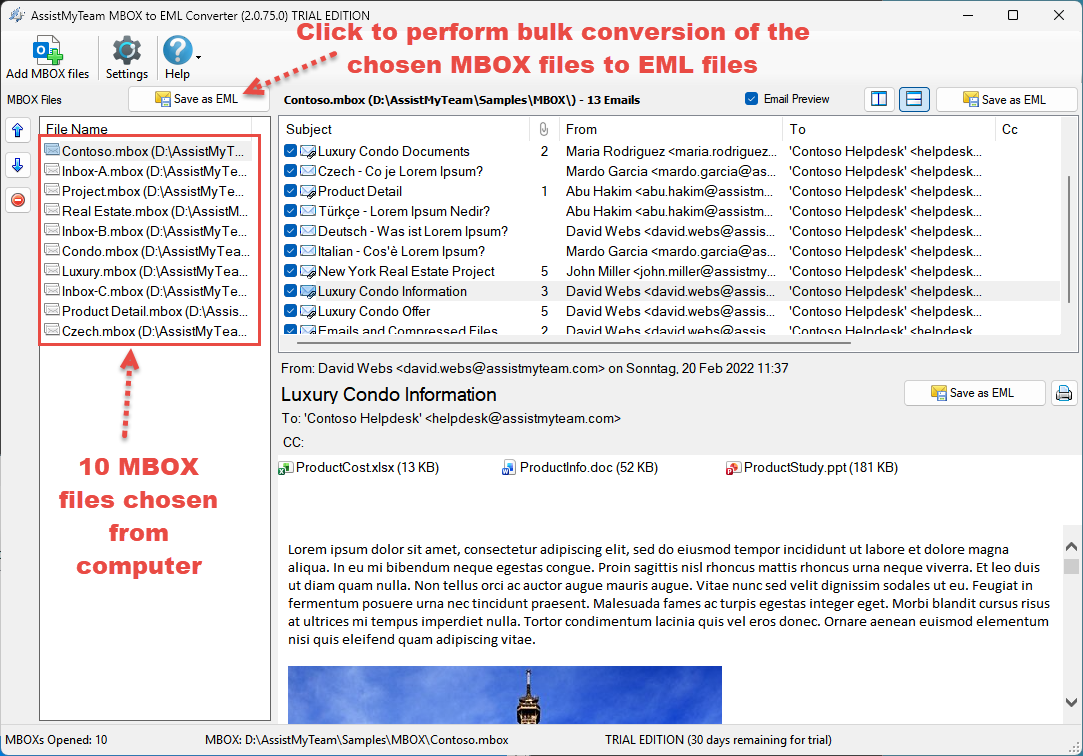
Convert MBOX files to MSGin bulk

From the ‘Browse for Folder’ dialog box, choose a destination folder where the emails from each MBOX file will be exported as EML files.
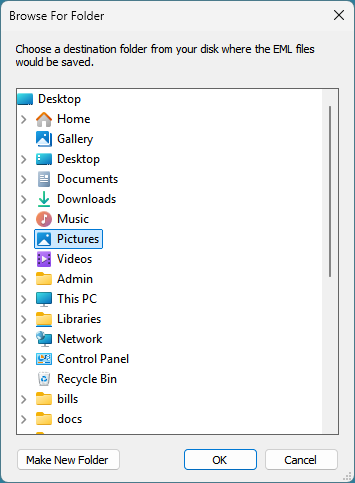
Save as PDF dialog box for converting MBOX files to MSG

To convert emails of a MBOX, select the particular MBOX file from the list control box on the left side. This will show you all the emails of the selected MBOX in the upper right side. Click ‘Save as EML‘ button located on the extreme right corner.
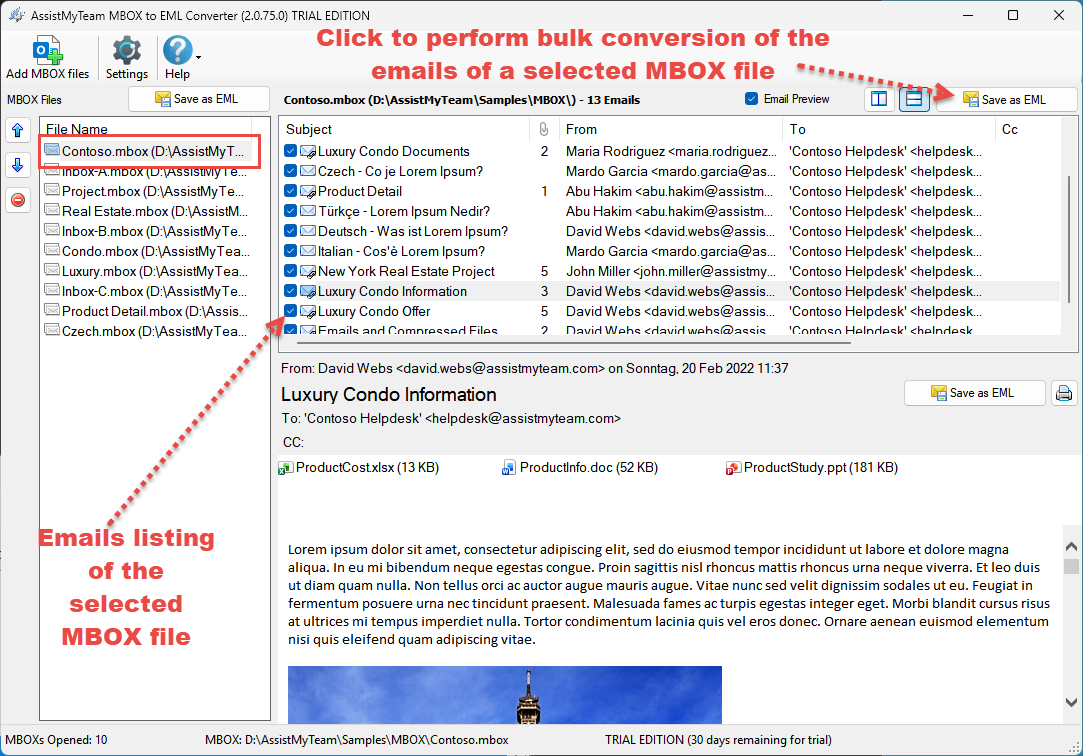
Convert MBOX to MSG

From the ‘Browse for folder’ dialog box, choose a destination folder where the emails will be exported as EML files.

In this mode, you can save an email from the MBOX to EML. To achieve this, select the particular email from the MBOX view control to load it in the preview control. And then click the ‘Save as EML‘ button located in the upper side of this preview control.
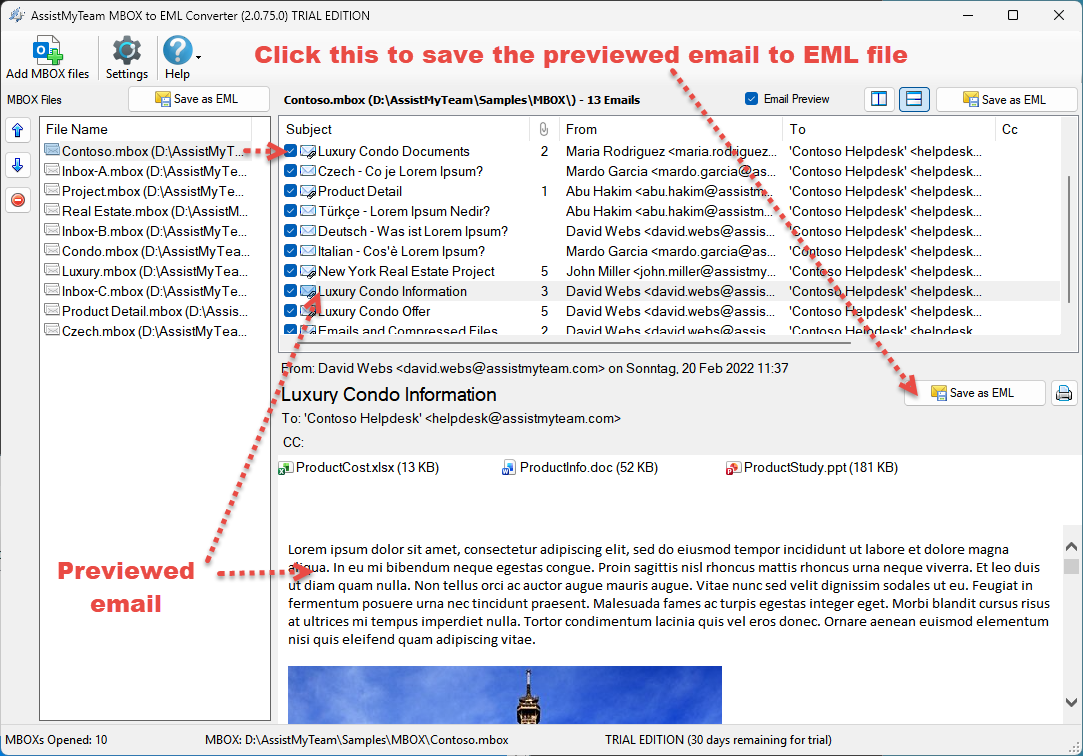
Convert Email of a MBOX to MSG

From the ‘Save as EML’ dialog box, enter the name of the EML file that will be saved to the chosen destination folder.