EML to PST Converter

Export EML files and folders from your disk to PST directly

Export and save EML files from folders and nested subfolders to new or existing PST files, while preserving the folder structure and hierarchy – all in a click.

Available for a fully functional 30 days trial.

Product Summary

  • Archive or export one or several emails or entire EML file folders to PST files in a click.
  • Backup email messages for regulatory or legal compliance.
  • Preserves attachments, headers, formatting, inline images and hyperlinks of emails in the replicated PST files.
  • Automatically enforce consistent naming convention to replicated PST files.
  • Retain the same original EML folders structure in the PST for easy access and filing.
  • Extract email file attachments to a location on your hard drive.
  • Different mode of conversion – single or few EML files to PST, a EML folder to PST, or whole EML root folder and nested subfolders to PST.
  • Retains embedded images, attachments, metadata, and email attributes while exporting EML emails to PST.
  • All conversions and processing performed locally. Ideal for closed systems.
  • Special MSI installer available for enterprise-wide deployment*.
  • Support Windows 11, 10, 8, 7 and Windows Servers.

Export EML email files to PST

Use EML to PST Converter to perform seamless export of EML email files to PST format, either in single, multiple or in bulk mode, without using any email client software.

Batch EML to PST Export

Use EML to PST Converter to export multiple EML root folder and nested subfolders at once and perform bulk export of emails to PST files in a click. Streamline tasks and save time and effort.

Maintain Same Folder Structure

Replicate and preserve the hierarchical structure of EML email file folders and nested subfolders in PST during email to PST export, without losing any data.

Retain Email Metadata in PST

EML to PST Converter preserve formatting, images and email metadata and properties such as To, Cc, Bcc, Received date, sent date, headers, etc.in PST.

Preview Email before Export

With EML to PST Converter, preview EML emails with metadata, attachments and formatting without using a dedicated email client software.

Export Selective Emails to PST

With EML to PST Converter, choose only those EML email files or folders that you want to export to new or existing PST file.

How It Works?

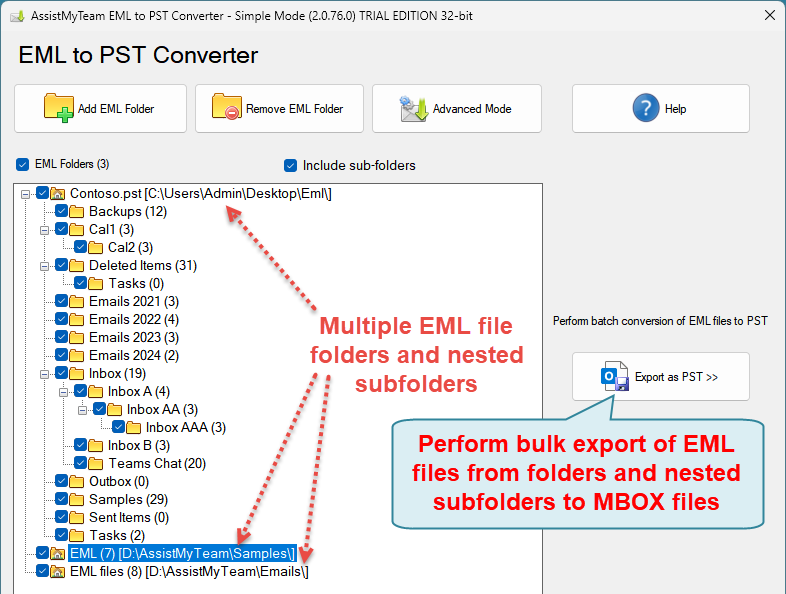
AssistMyTeam EML to PST Converter can operate in two modes – Simple (default) and Advanced, which has an interactive user interface with many options to export EML emails to PST files.

In Simple Mode

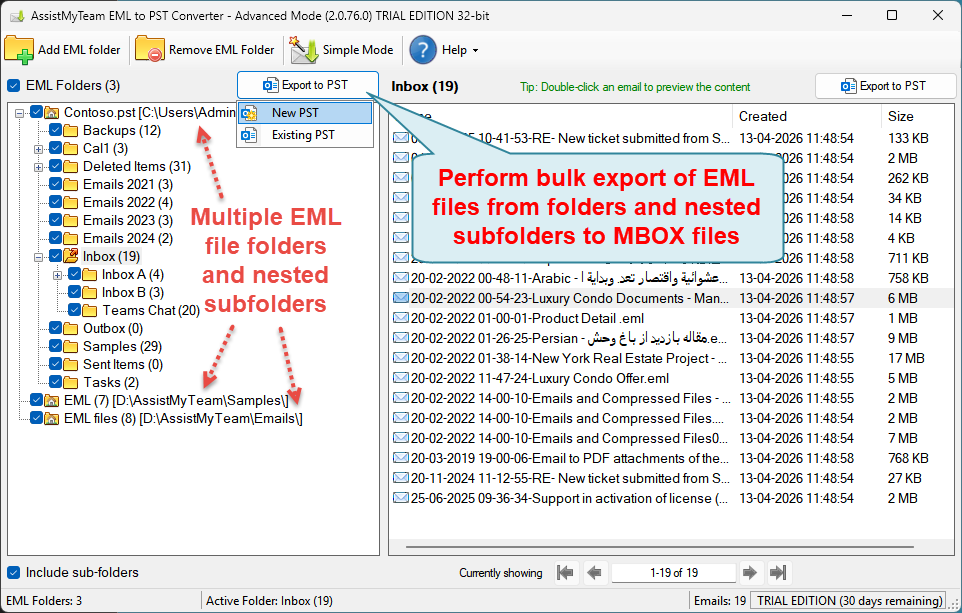
Advanced Mode
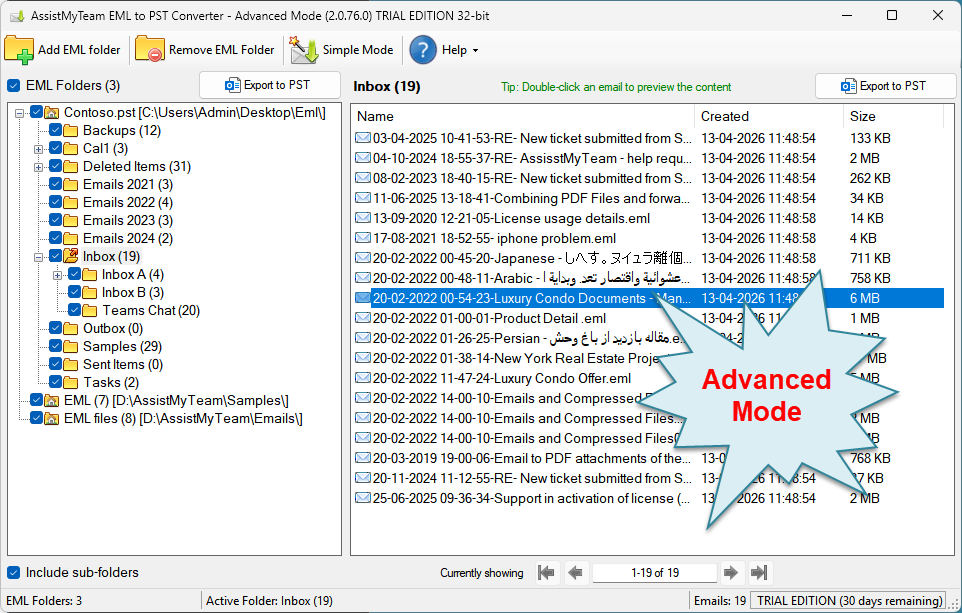
There are four ways to perform export with AssistMyTeam EML to PST Converter:

A. Multiple EML folders including nested subfolders to new or existing PST
B. Single EML folder to new or existing PST
C. Multiple EML emails to an existing PST
D. Single EML email to an existing PST
In this mode, you can perform bulk conversion of the whole contents of each EML folder and nested subfolders to a new or an existing PST file. Simply, click the ‘Export to PST‘ button option just above the EML Folders tree-view control.
 
Convert MSG to PST in bulk
 
 
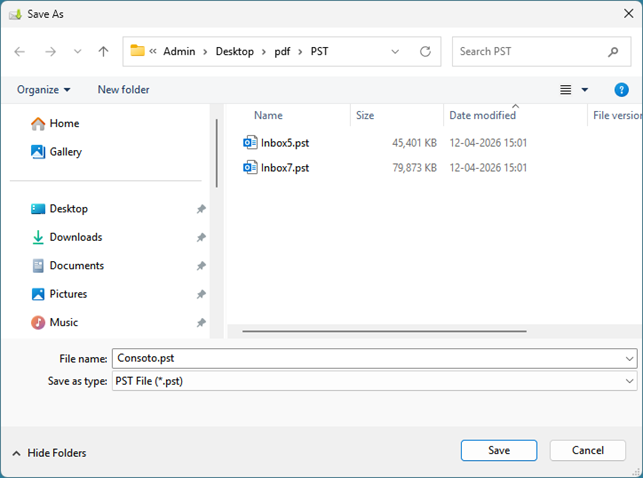
If you choose to export the EML files/folders to a new PST file, the app will prompt you to specify a destination folder where a new PST file will be created.
 
If you choose to export the EML files and folders to an existing PST file, you will be prompted to choose the particular PST file from your computer. And then the app will load and display the folders content of the chosen PST file in a prompt dialog box. And you can then choose a particular PST folder where all the EML files and folders will be exported to.
 
 
NOTE: The app will create new PST folders and subfolders similar to the hierarchy and structure of the nested EML sub folders of your computer. If these folders structure are already present (existing) in the chosen PST the app will re-use and direct the export of the EML files to these existing folders/subfolders.
At times, what you may need is only to export all the EML files of a particular folder only, to a new or existing PST file. In such needs, you can perform the PST export by clicking the particular folder from the EML tree-view control box on the left side. This will show you all the emails in the folder view control on the right side. You can then proceed to click ‘Export to PST‘ button, located on the extreme right corner of the folder view control.
 
Convert an MSG folder to PST
 
If you choose to export this particular EML folder to a new PST file, the app will prompt you to specify a destination folder where a new PST file will be created.

If you choose to export the EML files of this particular folder to an existing PST file, you will be prompted to choose the particular PST file from your computer. And then the app will load and display the folders content of the chosen PST file in a prompt dialog box. And you can then choose a particular PST folder where all the EML files will be exported to.

If you are interested at exporting only a few selected EML files to an existing PST file, just right-click the selected EML files from the folder view and click ‘Save in Existing PST’ from the context menu.

Export few MSG files to PST

And you will be prompted to choose a PST file from your computer. And then the app will load and display the folders content of the chosen PST file in a prompt dialog box. And you can then choose a particular PST folder where the selected few EML files will be exported to.

Export few MSG files to PST

In this mode, you can choose a EML file from a file folder and save and export it to an existing PST file. To achieve this, preview an email of interest by double-clicking it from the list of all emails shown in the folder view.

Select MSG Email to preview the contents

And then choose to save the previewed email to PST file by clicking the ‘Save in PST‘ button located on the upper right side.
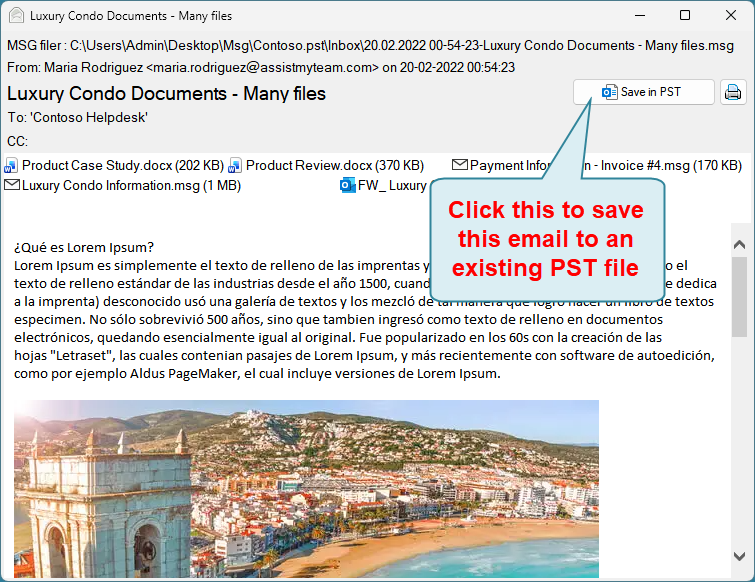
Export EMLEmail to an existing PST file

And you will be prompted to choose a PST file from your computer. And then the app will load and display the folders content of the chosen PST file in a prompt dialog box. And you can then choose a particular PST folder where the previewed EML file will be exported to.

Export few EML files to PST