
Export a single SharePoint document to PDF
There are a variety of reasons you may need to create a pdf out of your SharePoint document, perhaps the information needs to be printed or used to produce an invoice for a customer. Regardless of the reason, the SharePoint to PDF Converter application can assist in streamlining the process.
To export a single document to PDF, right-click the document and click ‘Export selected Document to PDF’ from the context menu.
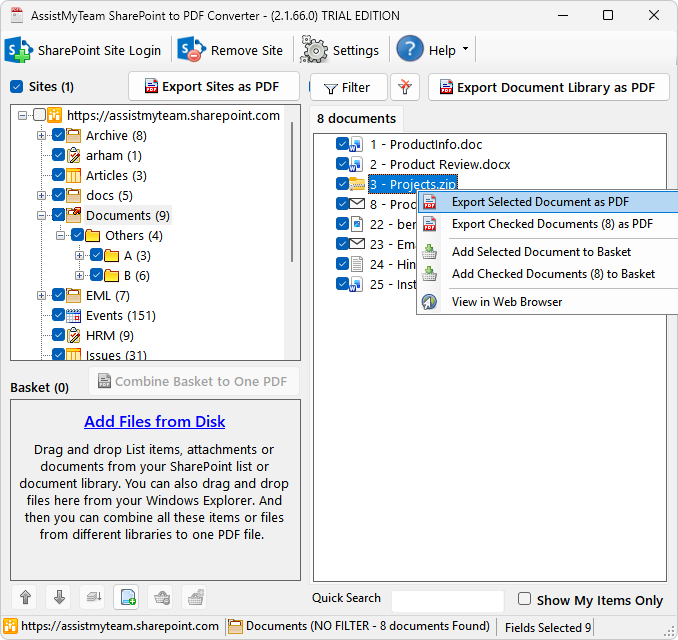
If the selected document is an office document (.docx, .xlsx, .pptx) or an image file (.jpg, .tiff), the app will prompt you to choose a destination folder in your local disk, where the converted PDF file will be stored straightaway.
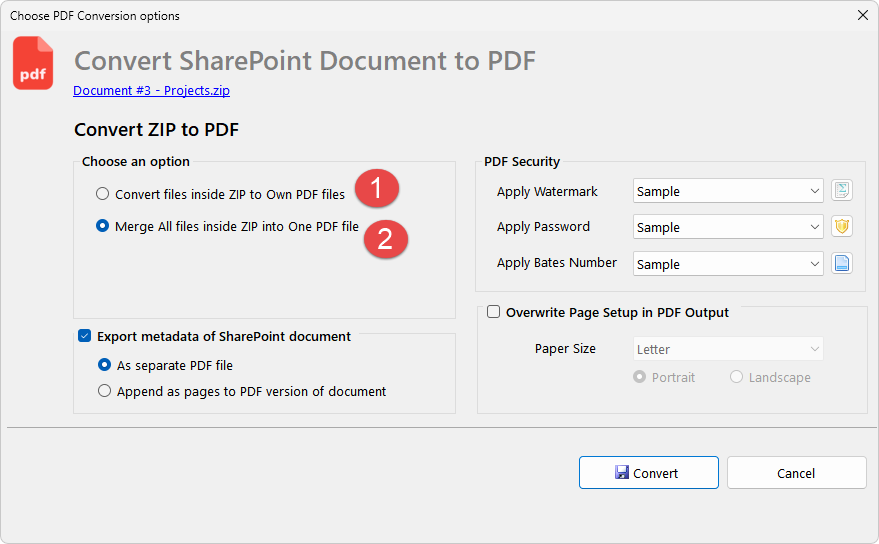
However, depending on the chosen document type, the app may prompt you with further conversion options before converting the SharePoint document to PDF. For instance, if the chosen document is a compressed ZIP file, you would be prompted to choose how the inner files within the ZIP document are processed. That is, you can choose to convert each inner file to own PDF file, or combine all the files within the ZIP to a single One PDF file.
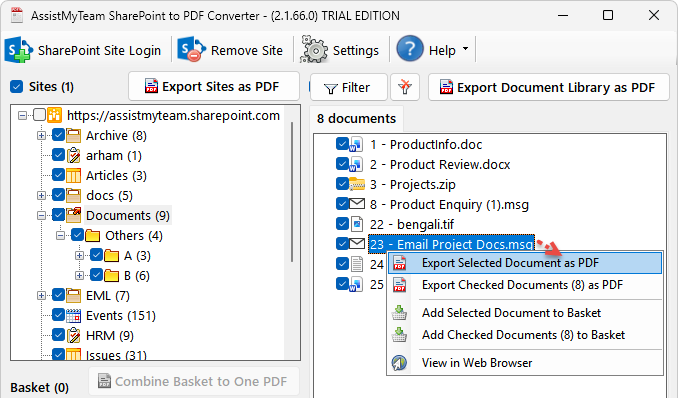
Similarly, if you have chosen a SharePoint document of MSG or EML file type, the app will prompt you, on how the attachments of the email will appear in the converted PDF document.
For example, you can choose to convert each attachment of the MSG email to own PDF file (1), or merge email and attachments to one PDF file (2), or embed the attachment to the PDF (3), or extract the attachments in their original format to your disk (4).
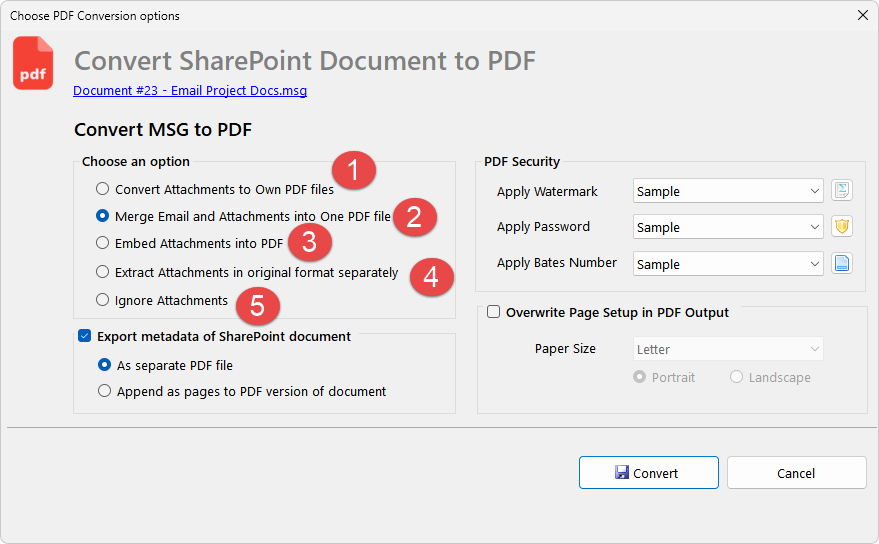
Optionally, you can also configure the app to export the metadata information of the document to a separate PDF file, or merge along with the document to PDF.