
When converting your email to a PDF document, the question arises on how the attachments are placed in the PDF document. Available options are to embed the attachments ‘as it is’ in their original formats into the PDF document, or to add or append the attachments as pages to the PDF document. For the latter, the attachments could be of varying format types and would require conversion to PDF pages.
But why to convert to PDF at all? Turning your emails and attachments to PDF format makes them portable, smaller, searchable and generally easier to view, print, store and share, independent of application software, hardware and operating systems. This makes PDF the most usable and suitable format for all types of business presentations. Another analogy is that PDF is the format people use when they need an electronic ‘hard copy’ document. Many business, publishing and records-keeping applications require a reliable, flexible and capable analog for paper. Some love their TIFF files, but those are pictures, not documents. For the vast majority, PDF remains the most popular document format.
Along with the most conversion options and content control over your PDF contents, AssistMyTeam PDF converter applications provide you with the unique ability to generate PDF documents from almost any file/attachment formats.
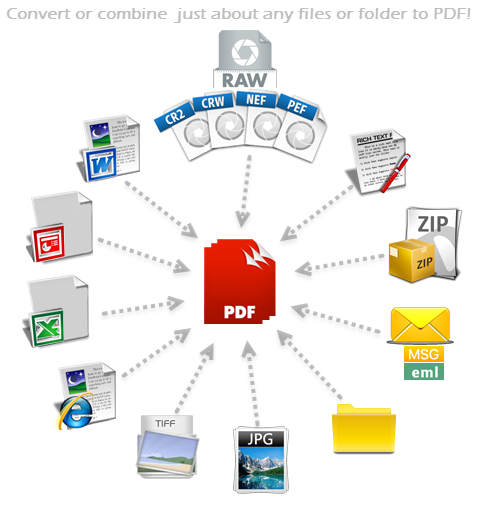
AssistMyTeam PDF Converter app can produce PDF documents from the following file types or formats:
Microsoft Word Files (.docx, .docm, .doc, .dot, .dotx, .dot, .dotm)
Microsoft Excel files (.xl, .xlsx, .xlsm, .xlsb, .xlam, .xltx, .xltm, .xls, .xlt, .xla, .xlm, .xlw, .uxdc,)
Microsoft PowerPoint Presentation files (.pptx, .ppt, .pptm, .ppsx, .pps, .ppsm, .potx, .pot, .potm)
Single File Web Page (.mht; .mhtml)
Web Page (.htm; .html)
Rich Text Format (.rtf)
Plain Text (.txt, .prn, .csv, .log, .ini, .config)
Programming files (.c, .h, .cs, .vb)
XML Document (.xml)
OpenDocument Formats (.odt, .odp, .odc, .ods)
Works 6.0 – 9.0 (.wps)
Multi-page TIFF (.tif)
Compressed Zip1 (.zip)
MSG2 Email file (.msg)
EML3 Email file (.eml)
Camera RAW4 files (.raw, .nef, .nrw, .cr2, .crw, .pef, .arw, .srw, .sr2, .orf, .mrw, .mdc, .dcr, .kdc, .mos, .erf, .raf, .3fr, .dng, .mef, .rw2, .x3f, .srf, .ari, .bay, .cri, .cap, .iiq, .eip, .dcs, .drf, .k25, .fff, .ptx, .pxn, .r3d, .rwl, .rwz, cs1, cxi, j6i)
Image files (.bmp, .gif, .png, .jpg, .jpeg, .tif, .tiff, .pcx, .psd, .cut, .dds, .ico, .lbm, .pcd, .pcx, .pic, .psp, .sgi, .tga, .exr, .hdr, .iff, .jng, .ppm, .pgm, .pbm, .pfm, .ras, .wbmp, .xbm, .xpm, .mng, .koa, .j2k, .jp2, .jbig2, .wmf)
1Also supports converting files from inner ZIP file (embedded within another ZIP/MSG/EML file attachment) to PDF.
2Also supports converting inner MSG and attachments (embedded within another ZIP/MSG/EML file attachment) to PDF.
3Also supports converting inner EML and attachments (embedded within another ZIP/MSG/EML file attachment) to PDF.
4RAW formats and Brand